Emergency On-Site Service
Emergency on-site computer service
Priority response for outages, failed systems, and critical technology interruptions. When work has stopped, this request jumps the routine queue.
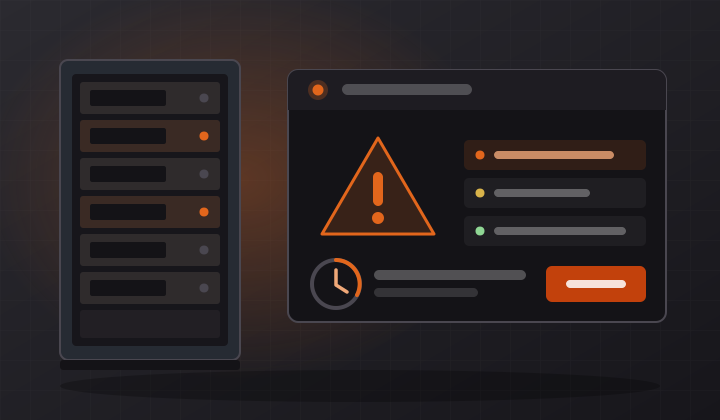
What counts as an emergency
The test is simple: has work stopped, or is it about to? If people are sitting idle, if customers cannot be served, or if something critical has failed with no workaround, it is an emergency and it is treated as one.
- Server outages and failed business-critical systems
- Network or internet outages affecting a whole office
- Point-of-sale, booking, or line-of-business software that is down
- Workstations that will not start on a deadline day
- Failed drives holding live business data
- Suspected ransomware, breach, or security incidents
- Power, flood, or physical damage to computer equipment
- Failed migrations or upgrades that need to be rolled back
How emergency requests are handled
Emergency requests are triaged first. The initial goal is containment — understand what failed, stop it spreading, and find the fastest route back to working. Remote diagnosis usually starts immediately while an on-site visit is arranged, so the cause is often known before anyone arrives.
You will be told honestly what can be restored quickly, what needs parts, and what the realistic timeline is. A temporary workaround that gets people working again today is often the right first move, with the permanent fix scheduled behind it.
How to get the fastest response
Mark the request Emergency, and include: what has stopped, when it started, how many people are affected, and anything that changed just before it happened — an update, a power cut, a storm, a new device. That last detail is frequently the whole answer.
Fewer emergencies in the first place
Most emergencies are predictable in hindsight: the failing drive that had been warning for weeks, the backup that stopped succeeding in March, the server with no free disk space. Remote server management exists to catch exactly those, and businesses on managed maintenance call the emergency line far less often.
Questions
Frequently asked
What information should I include in an emergency request?
What has stopped working, when it started, how many people are affected, and anything that changed just beforehand — an update, a power cut, new hardware. That detail often identifies the cause before anyone is on site.
Is emergency service available outside business hours?
Emergency availability is listed in the contact section of the site. Include the time you need someone by in your request and you will get a straight answer about what is achievable rather than an open-ended promise.
Can the problem be fixed without an on-site visit?
Sometimes, and remote diagnosis usually starts right away for that reason. If it can be resolved remotely you save the visit; if it cannot, the on-site work is shorter because the cause is already identified.
What if it turns out not to be an emergency?
Nothing is lost by asking. If it can safely wait, you will be told so and it is booked as a normal on-site visit instead — nobody is upsold into an emergency call-out they did not need.